> ## Documentation Index
> Fetch the complete documentation index at: https://docs.fastgen.com/llms.txt
> Use this file to discover all available pages before exploring further.
# Time Window
**Pause workflow execution until a specific time window.**
 ## Overview
The "Time Window" action block pauses the workflow until a certain point in time. The workflow will then be in a `Running` state and you will be able to cancel the execution by using the `Stop Flow` button within the debug mode or the Logs page.
If the point in time is in the past, it will just continue executing.
### Example
## Overview
The "Time Window" action block pauses the workflow until a certain point in time. The workflow will then be in a `Running` state and you will be able to cancel the execution by using the `Stop Flow` button within the debug mode or the Logs page.
If the point in time is in the past, it will just continue executing.
### Example
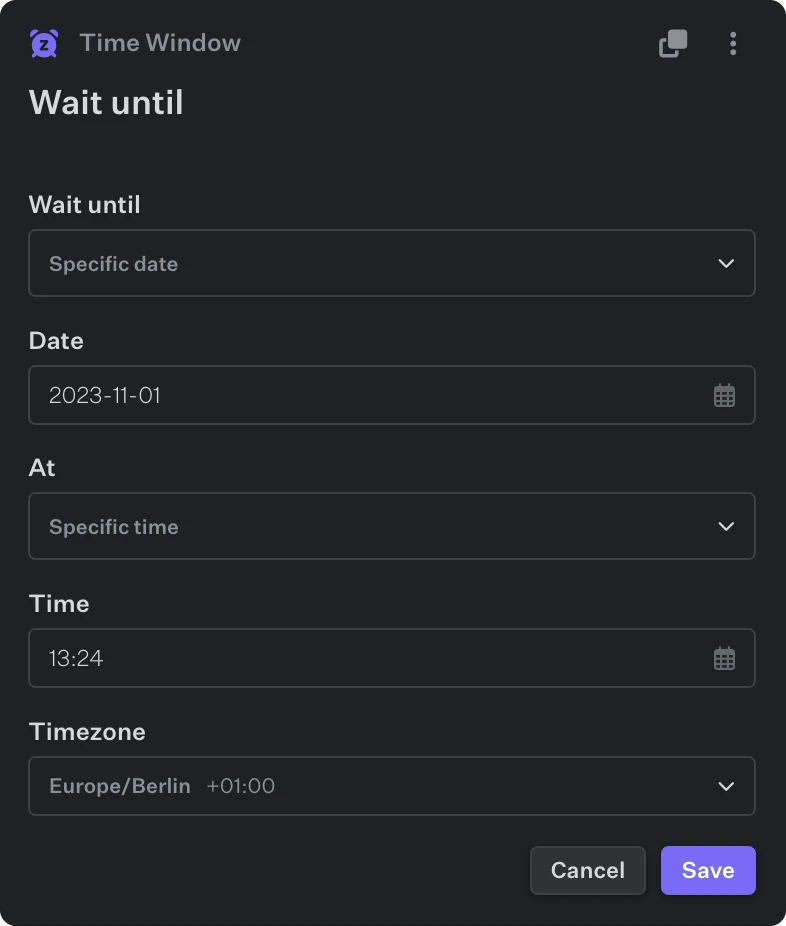 Within the action you have lots of flexibility -- you're able to pause until Specific `Days`, `Dates`, `Times` while controlling the `Timezone`.
### Output
```json theme={null}
{
"resume_at": "2023-10-28T12:13:05Z", // the point in time when the execution will resume (time format: RFC3339)
"Formatted": "Sat, 28 Oct 2023 12:13:05 UTC", // same as `resume_at` but in a more nicely formatted way (time format: RFC1123)
}
```
Within the action you have lots of flexibility -- you're able to pause until Specific `Days`, `Dates`, `Times` while controlling the `Timezone`.
### Output
```json theme={null}
{
"resume_at": "2023-10-28T12:13:05Z", // the point in time when the execution will resume (time format: RFC3339)
"Formatted": "Sat, 28 Oct 2023 12:13:05 UTC", // same as `resume_at` but in a more nicely formatted way (time format: RFC1123)
}
```