> ## Documentation Index
> Fetch the complete documentation index at: https://docs.fastgen.com/llms.txt
> Use this file to discover all available pages before exploring further.
# Overview
**Store and manage data with a hosted Postgres Database.**
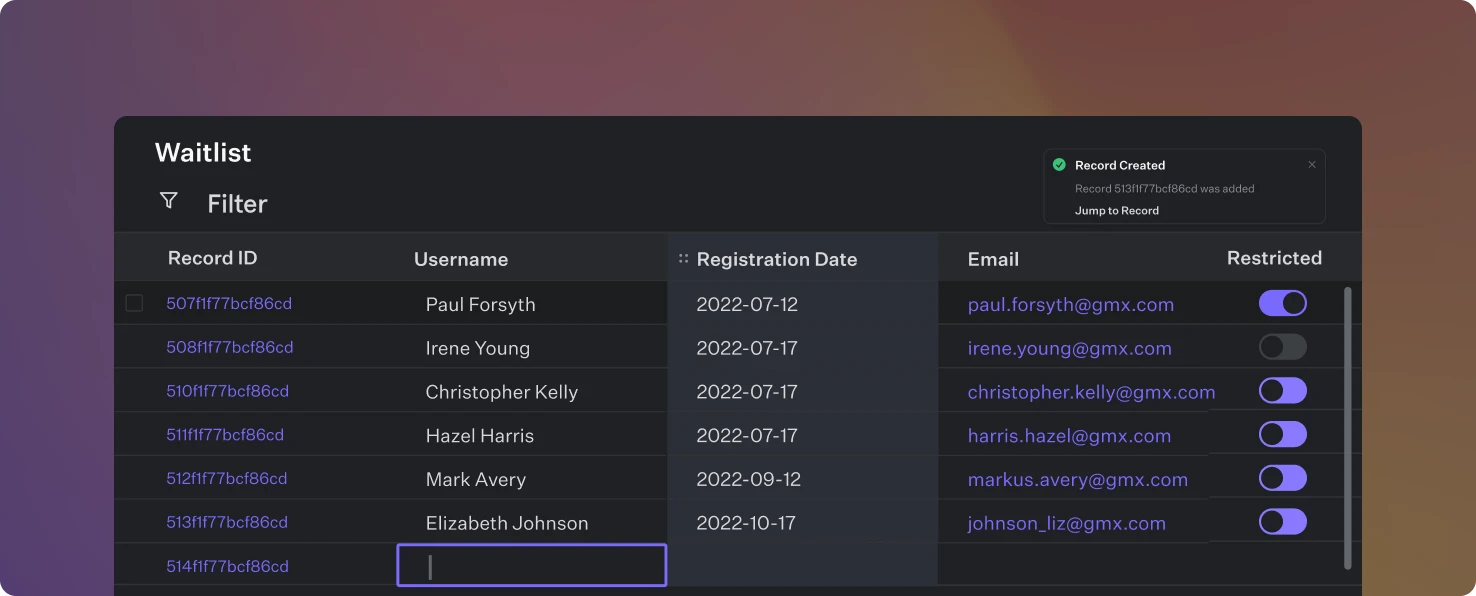 Every Fastgen project comes with its own dedicated PostgreSQL Database. Within this database you can create unlimited tables to manage and store data records of your application.
You have two ways of interacting with the database:
* Programmatically, through the [DB Query Action](/actions/native-action/db-query) within your APIs & workflows
* Manually, to make edits directly in the UI
## Creating a table
Navigate to *Database* on the left side bar and click *Add table* in the top right.
Give your new table a unique name, specify columns settings and create a new table with a click of a button.
Every Fastgen project comes with its own dedicated PostgreSQL Database. Within this database you can create unlimited tables to manage and store data records of your application.
You have two ways of interacting with the database:
* Programmatically, through the [DB Query Action](/actions/native-action/db-query) within your APIs & workflows
* Manually, to make edits directly in the UI
## Creating a table
Navigate to *Database* on the left side bar and click *Add table* in the top right.
Give your new table a unique name, specify columns settings and create a new table with a click of a button.
 ### Column Settings
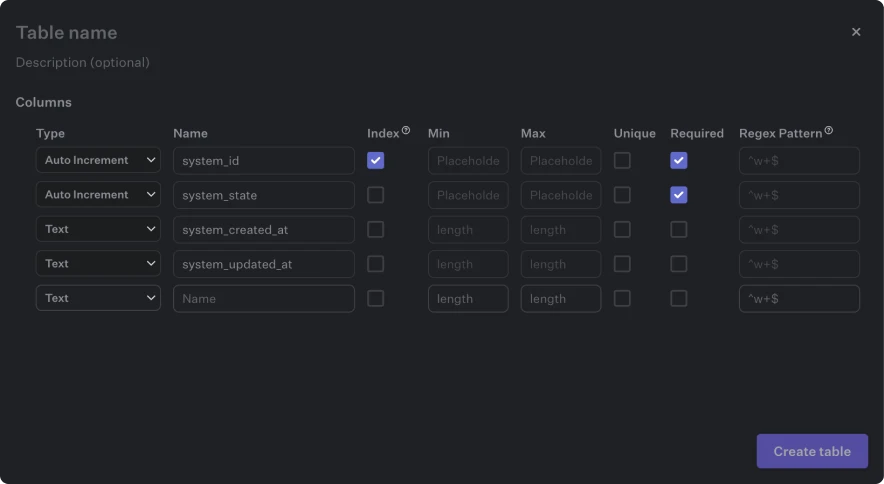
You can apply individual data validation settings for each column you add to your table. Specify the column data type, which columns are required, have to be unique in name as well as which ones serve as primary or foreign keys. `Index` will improve the query performance for a record but be careful not to create too many indexes on one single table because more indexes means the database needs more time for insert and delete operations getting incrementally slower the more indexes there are. So best to have between one or five indexes per table.
### Column Settings
You can apply individual data validation settings for each column you add to your table. Specify the column data type, which columns are required, have to be unique in name as well as which ones serve as primary or foreign keys. `Index` will improve the query performance for a record but be careful not to create too many indexes on one single table because more indexes means the database needs more time for insert and delete operations getting incrementally slower the more indexes there are. So best to have between one or five indexes per table.