 ## Overview
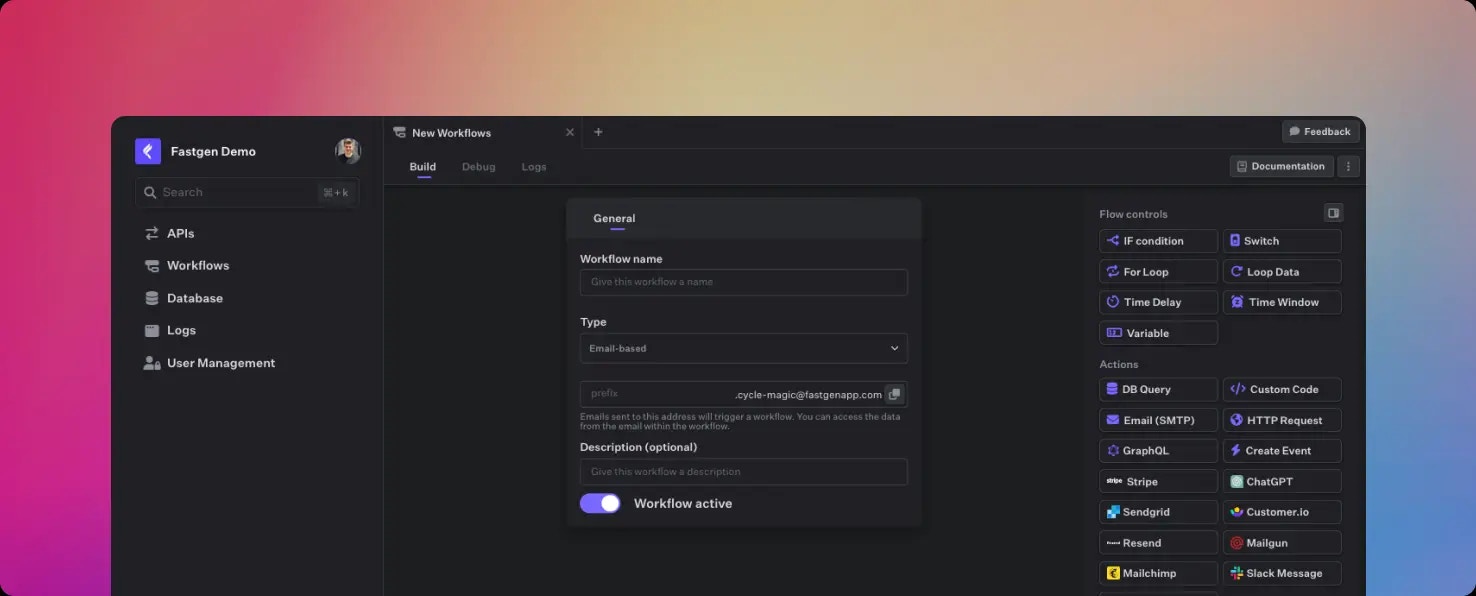
Email-based workflows are triggered by incoming emails.
You can designate a unique email address for each workflow, such as [prefix.my-app@fastgenapp.com](mailto:prefix.my-app@fastgenapp.com).
Whenever an email is sent to this address, the corresponding workflow will be initiated.
You can access details of the incoming email using the `$param` variable.
```json Example $param content theme={null}
{
"attachments": [
{
"FileName": "fastgen-docs.pdf",
"MimeType": "application/pdf",
"Disposition": "attachment",
"Related": true,
"ContentId": "
## Overview
Email-based workflows are triggered by incoming emails.
You can designate a unique email address for each workflow, such as [prefix.my-app@fastgenapp.com](mailto:prefix.my-app@fastgenapp.com).
Whenever an email is sent to this address, the corresponding workflow will be initiated.
You can access details of the incoming email using the `$param` variable.
```json Example $param content theme={null}
{
"attachments": [
{
"FileName": "fastgen-docs.pdf",
"MimeType": "application/pdf",
"Disposition": "attachment",
"Related": true,
"ContentId": "